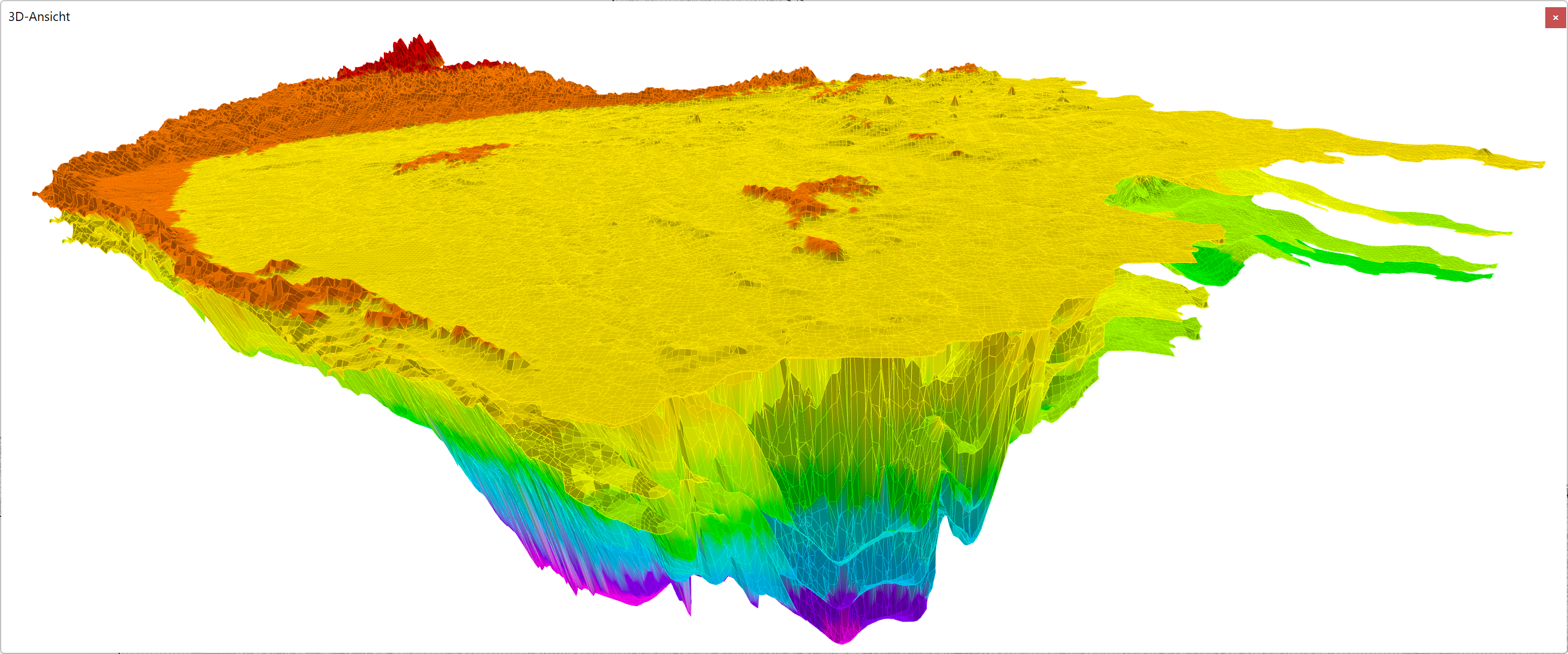
The 3D view displays the element mesh opened in mesh editing mode in three dimensions.
Navigation:
The display can be changed using the buttons on the toolbar in the main window (see below).

INCLUDEPICTURE \d ".\\grafik\\3d_ansicht_toolbar.png" \* MERGEFORMATINET INCLUDEPICTURE \d "C:\\Projekte\\SPRING-Hilfe_Englisch\\Getting_started\\grafik\\3d_ansicht_toolbar.png" \* MERGEFORMATINET INCLUDEPICTURE \d "C:\\Projekte\\SPRING-Hilfe_Englisch\\Getting_started\\grafik\\3d_ansicht_toolbar.png" \* MERGEFORMATINET INCLUDEPICTURE \d "C:\\Projekte\\SPRING-Hilfe_Englisch\\Getting_started\\grafik\\3d_ansicht_toolbar.png" \* MERGEFORMATINET INCLUDEPICTURE \d "C:\\Projekte\\SPRING-Hilfe_Englisch\\Getting_started\\grafik\\3d_ansicht_toolbar.png" \* MERGEFORMATINET INCLUDEPICTURE \d "C:\\Projekte\\SPRING-Hilfe_Englisch\\Getting_started\\grafik\\3d_ansicht_toolbar.png" \* MERGEFORMATINET INCLUDEPICTURE \d "C:\\Projekte\\SPRING-Hilfe_Englisch\\Getting_started\\grafik\\3d_ansicht_toolbar.png" \* MERGEFORMATINET INCLUDEPICTURE \d "C:\\Projekte\\SPRING-Hilfe_Englisch\\Getting_started\\grafik\\3d_ansicht_toolbar.png" \* MERGEFORMATINET INCLUDEPICTURE \d "C:\\Projekte\\SPRING-Hilfe_Englisch\\Getting_started\\grafik\\3d_ansicht_toolbar.png" \* MERGEFORMATINET INCLUDEPICTURE \d "C:\\Projekte\\SPRING-Hilfe_Englisch\\Getting_started\\grafik\\3d_ansicht_toolbar.png" \* MERGEFORMATINET INCLUDEPICTURE \d "C:\\Projekte\\SPRING-Hilfe_Englisch\\Getting_started\\grafik\\3d_ansicht_toolbar.png" \* MERGEFORMATINET
The element mesh, the element areas, the 1D fractures, the 2D fracture mesh or the 2D fracture areas can be shown or hidden. The current 3D view can be exported as a raster graphic)
 Vertical section
