
After completion of the FE mesh, the required model data are assigned. They include, for example, the fixed potentials as boundary condition of the 1st type (POTE), water course potential levels and leakage coefficients on the courses of streams (VORF and LERA), groundwater recharge rates (FLAE), permeability values (KWER), withdrawals from wells (KNOT) or areas with identical potentials (GLEI).
Please note that data required in the entire model area, such as permeability values, lower boundaries or ground level elevations, must be assigned by interpolation, to ensure that all elements or nodes are completely assigned with values.
Data required only locally or in the form of lines, such as leakage coefficients, withdrawals from wells or fixed potentials at the model boundary, can be assigned directly.
The existing structure data file schritt2_netz.str contains the data types POTE, VORF, KNOT and GLEI, which are assigned by the following procedure:
Upon clicking on Structure  Assign List or Attributes Assign From structure… List, the following menu appears:
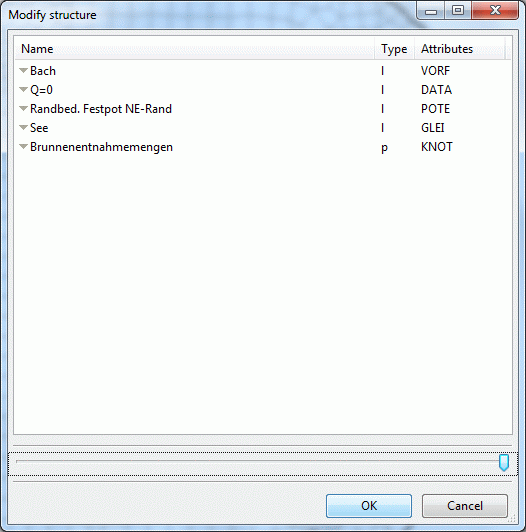
Assigning structure data
Once all structures have been selected by left mouse click and pressing the Up key and confirmed by pressing "OK", another menu appears in which the accuracy parameters of the assignment can be defined. (Note: The data type DATA is always ignored during the assignment.)
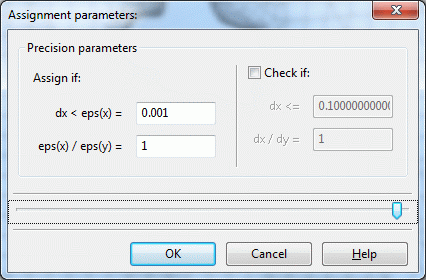
Assignment parameters
If no further entries are made, the data will be assigned, after pressing the OK button. To click on individual nodes for which the attribute POTE appears at the northeastern edge, the attribute VORF appears at the nodes of the course of the stream, the attribute GLEI appears at the nodes of the lake and the attribute KNOT appears at the three wells, use the menu item Attributes Edit nodes Capture.
Upon visualisation of the potentials under View Show Attributes Isolines/area plots/values, using the "Circles" display type,
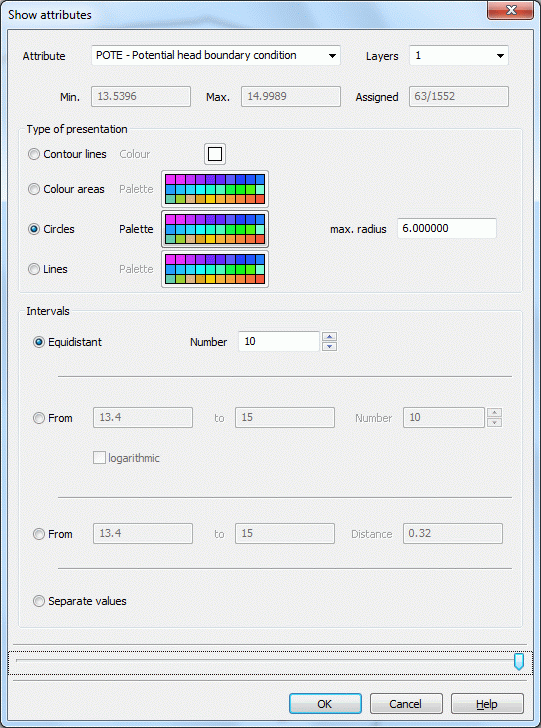
Display of attributes
it becomes apparent that not all nodes of the north-eastern edge have a potential value. This is due to the accuracy parameters of the data assignment!
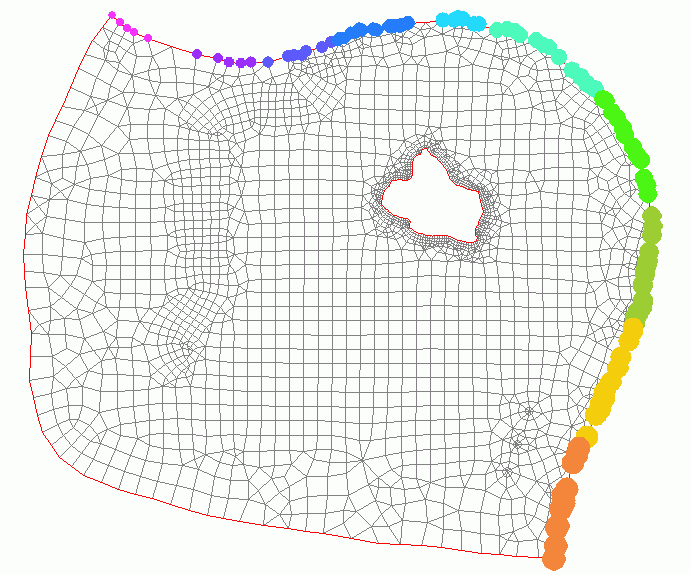
Display of the assigned (not yet complete) potentials
Reassignment of POTE from the structures (Structure Assign List) with the following parameters:
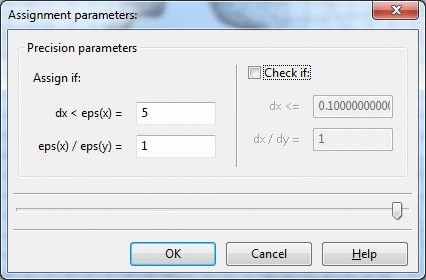
Entering the accuracy parameters
and confirmation of the prompt "Overwrite all" assigns all nodes of the north-eastern boundary a potential value! (For control, the display can be repeated as described above.)
For the GLEI data type lake boundary nodes, the completeness of the assignment should also be checked. By default, GLEI cannot be displayed with circles. Using the detour via a different data type (e.g. 1KON, KKKK), it can be displayed in spite of that. Use Attributes Copy Attribute-wise to copy GLEI, for example, to KKKK and then display it. After control, the auxiliary data should be deleted again.
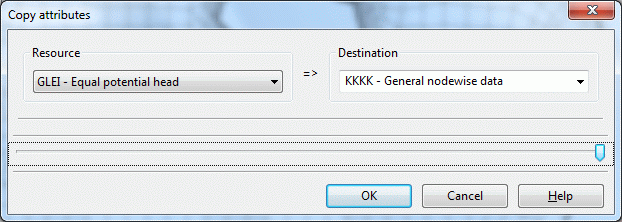
Copying attributes
The next step is assignment by interpolation of external data formats